
What is the fundamental pillar of our business? Combining innovation and customer focus.
Why am I telling you this? Because the time has (sadly) come to say goodbye to our best-selling Kimera, the Kimera Pro, which will soon go out of production. But from its ashes the most innovative and advanced model in our catalogue has been born… the Kimera Pro 2.0.
This PC was born from the real needs of our customers, in particular the growing need for a single system that could accommodate a variety of CPUs while at the same time raising the bar on graphics.
In practice, if your company needs several industrial PCs but for different applications (and therefore with different technical specifications), you know exactly what I mean. Choosing a single model would mean having one PC that’s right for one use and all the others under- or over-sized for the other applications, while looking for the perfect PC with the right specifications for each context would be an endless road.
The same goes if your projects require the performance of an industrial PC but also advanced graphics, and no machine on the market seems to meet both needs.
Now imagine being able to manage all your processes with a single system. Being
able to create the most innovative multimedia project you’ve ever built and double your sales…
Good news: it’s now possible. And with the brand-new Kimera Pro 2.0 we’ll show you how.
In this article, we’ll look at:
- What makes the Kimera Pro 2.0 the perfect PC for industry…
- … and for multimedia applications at the same time
- How to check whether the Kimera Pro 2.0 is the right model for YOUR application
What makes the Kimera Pro 2.0 the perfect PC for industry…
1) The uniqueness of the Pro 2.0
To answer this point,
we first need to take a step back. The Kimera Pro 2.0 was born from a careful analysis of our customers’ needs: many of them found themselves evaluating a range of different models because their applications required different levels of performance and power, and buying a single model would have meant industrial PCs over-sized for some uses and under-sized for others.
That’s why we decided to create a single system.
The Kimera Pro 2.0 can be configured with a wide range of processors, depending on specific needs, ranging from i3, i5 and i7 to v5 and v7. A single system with different installable CPUs is the ideal solution for industrial settings where several PCs are used in applications requiring different levels of performance.
This means you can use the same base hardware and change the CPU while keeping all the drivers unchanged. A very practical feature if you work in software development, because you’ll no longer need to change PC every time you change processor.
2) vPro functionality
Another key point was integrating vPro functionality into this single system. With this platform, important business resources are protected thanks to hardware-enhanced security features; vPro also increases productivity thanks to business-class performance for collaboration between users and departments, improving the user experience across the entire organisation.
3) Different form factors
This model is available not only in box and slim versions, but also in a rack version. We decided to offer it in 3 different form factors precisely to make it perfect for every type of use:
- the box format is the most compact, slightly taller than the slim version, ideal for VESA mounting (in industrial production or POS);
- the slim format is the thinnest, perfect for broadcast applications for example, when it has to be mounted under a table or desk or in any confined space;
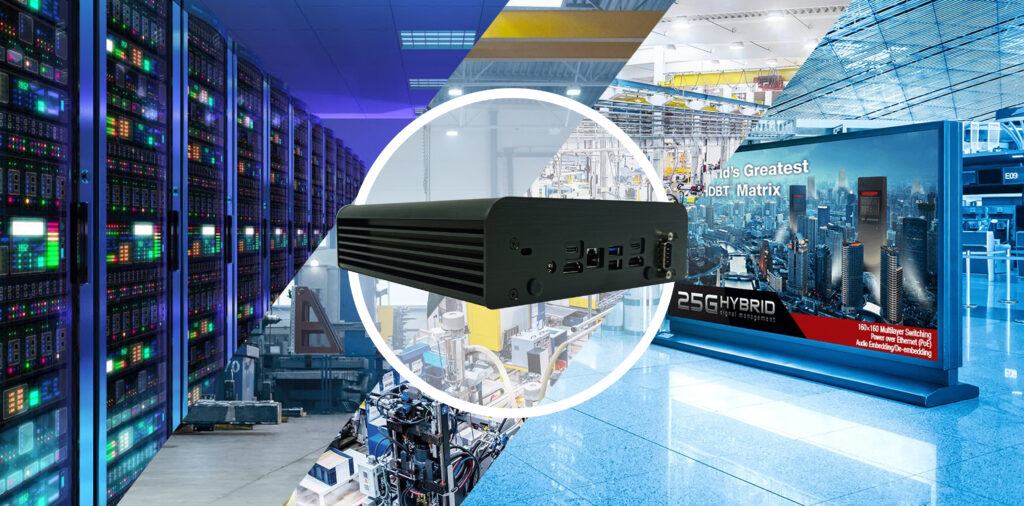
- the rack format was designed specifically to allow this PC to be installed in rack cabinets as well, as required in sectors such as digital signage or server rooms.


NB: the form factors may differ, but changing format changes neither the hardware nor the components of the PC. Whether you choose the box or the rack format, both keep the same hardware base, the same components and the same drivers – what changes is the design, adapted to allow different installations. This way, you can install the same configuration in different contexts.
4) And what about the connectors?
The Kimera Pro 2.0 has a variety of connectors: in addition to the usual 6 USB ports, it also has 2 HDMI 2.0 ports, 1 Gigabit LAN, 1 serial port for interfacing with serial devices and machines, and 2 Thunderbolt ports (one of the latest generation) that can be used both as additional video outputs and for expanding the PC.


5) Can I use this PC for my application even if there’s a lot of humidity?
Absolutely. The Kimera Pro 2.0 was designed with particular attention to industrial environments, which are traditionally dusty and humid. To make the PC extremely functional in this kind of application too, the Pro 2.0 is not only fanless but can also be made fully IP65: the case has completely sealed screw connectors and no slots or openings through which moisture can enter, making it fully operational even in this type of working environment.

… and for multimedia applications too
6) Graphics quality and performance
Many customers were asking for industrial PCs with a high-performance graphics card, capable of handling programs and monitors particularly in demand in digital signage. This made us think hard about how to improve the graphics of Kimera PCs: until then the maximum supported graphics was UHD, but this type of application needed even more advanced graphics.
That’s why we built the Kimera Pro 2.0 with the most powerful integrated graphics currently available, Intel Iris Xe, available both with i5 or i7 CPUs and with v5 or v7 CPUs.
7) 4 independent monitors
Another issue we encountered was multi-monitor support. More and more customers were asking us for industrial PCs able to drive several monitors from a single system, but until then our Kimera PCs could support a maximum of 3 displays. And here we come to another fundamental difference: compared with the other Kimera models, and its predecessor in particular, the Pro 2.0 can support up to 4 independent monitors, making it perfect for digital signage applications, for example.
How does this PC dissipate the heat of such powerful graphics without fans?
The Kimera Pro 2.0 is a fanless PC, like our other industrial computers. Despite having no fans and such powerful graphics, it doesn’t overheat: the fanless aluminium case is made with the most advanced technologies and specially designed to dissipate the heat of the CPU and the other components inside.
How to check whether the Kimera Pro 2.0 is the right model for YOUR application
The Kimera Pro 2.0 was designed and built with one specific characteristic in mind: versatility.
Thanks to the different processors it can take and the different form factors in which it is available, it is perfect for a wide range of applications, from digital signage to broadcasting, from video surveillance to industrial production. It can also
be configured with up to 64 GB of RAM and can support 3 drives.
But if you really want to see what the Kimera Pro 2.0 can do… why not configure it for your application?
Customise your PC: tell us about your application and your working environment, and we’ll configure the Kimera Pro 2.0 to suit your exact needs.
… And what if I want to find out more about this model?
Well, you can click below and look at its technical specifications:
If you have particular requirements, you can request a consultation with our technical department, which will analyse your requests and the environment in which the PC will be integrated in detail, so as to suggest the most suitable solution for you.


