
What are the components an industrial PC cannot do without? What is the best configuration for a model to be integrated into a harsh environment? And for heavy graphics applications, or for managing several machines?
Sometimes it’s right to go back to basics. So, without further ado, let’s begin.
What are the main components of a computer?
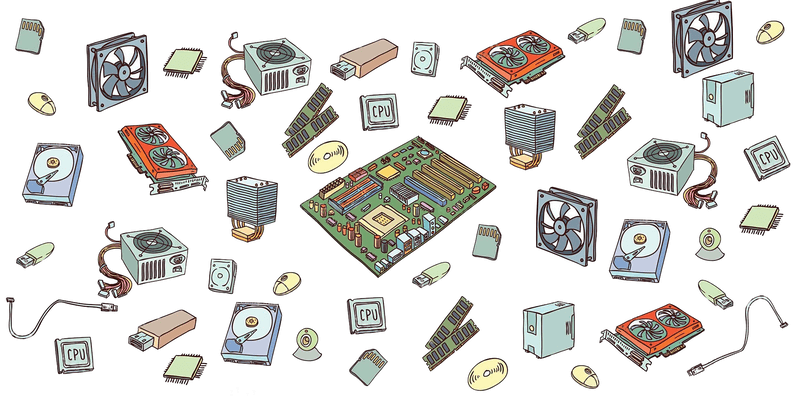
The main components of a PC are:
- CPU (Central Processing Unit): the computer’s processor, its “brain” or “engine”
- Motherboard: the circuit board that holds the circuits and interface connections between the PC’s internal components, as well as the expansion buses and interfaces to external peripherals.
- RAM (Random Access Memory): the PC’s temporary memory, into which the programs the CPU has to run are copied (loaded). Once the programs are closed, any changes will be lost unless they have been saved to the hard disk or other non-volatile memory
- Hard disk: a storage device in which all work and processing data can be saved; depending on memory requirements, more than one disk can be fitted in the PC
- Case: the PC’s bodywork, so to speak, made according to the output ports included.
These are the fundamentals, but depending on requirements other components can also be added, such as:
- expansion cards, to add more connectors such as USB, LAN, serial, etc.
- video capture cards, to record in high definition, broadcast and optimise video by connecting the PC to a compatible device
- graphics cards, to improve the PC’s graphics performance
Last but by no means least, the power supply, which delivers electrical power to the machine. In some cases the power supply is already included with the PC, in others it isn’t (to find out more, read our article on the industrial PC power supply ).
What an industrial PC cannot do without
Clearly, an industrial PC cannot do without the 5 main components we’ve just seen: CPU, motherboard, RAM, disk and case – a computer without one of these would be like a car without wheels or an engine.
A particular feature of industrial PCs is their hardware: it’s essential that these computers are built with industrial components, which have a much longer lifecycle than consumer components. This makes it possible to source the same components for periods of 3–5 and even 10 years, with guaranteed long-term support.
In other words, you’ll no longer need to reconfigure your PCs with the right settings because the manufacturer has changed the hardware. Industrial hardware is simply guaranteed for years. And it is much safer and more efficient for use in harsh or industrial environments.
Connectors are another fundamental element, depending on the configuration required. Let’s look at a few examples.
Discover the best industrial PC configurations
Industrial PC configurations can vary and change according to the customer’s needs.
An industrial PC should have as standard at least: 2 video ports, 1 LAN and 4–5 USB ports.
In industrial settings, one or more LAN ports (used to interface with machines as well as to connect the PC to the network) and serial ports (also used to connect devices to the industrial PC or to interface with machines) are very often requested.
It would be wrong to say in advance which industrial PC configurations are best – it all depends on requirements. What matters is choosing a configuration that meets all the requirements without adding unnecessary components or connectors, so as not to have a PC that is needlessly over-sized for its intended use.
Discover our solutions tailored to you and your company
Our custom industrial PCs are tailor-made to meet every specific need. For example:
- do you need to connect your computer to a machine without giving up network connectivity? We can configure your model with several LAN ports;
- is the working environment dusty and humid, with the PC exposed to high temperatures? There are Kimera fanless PCs with an extended temperature range;
- do you need to use the PC for heavy graphics applications and connect it to 3 independent monitors? We’ll fit your PC with a graphics card.
From PCs with 6 LAN ports, 16 serial ports and 12 USB ports to PCs with an extended temperature range and IP65, we can customise our models with exactly what you need: nothing more, nothing less.
And our technicians are on hand to assess which components you actually need and guide you towards the most suitable configuration:
Contact us to request a free consultation
We’ll assess your needs, the environment in which the PC will be used and any special requests, so we can recommend the perfect PC. If you’d like to take a look in the meantime, you can discover all our industrial PCs.


