

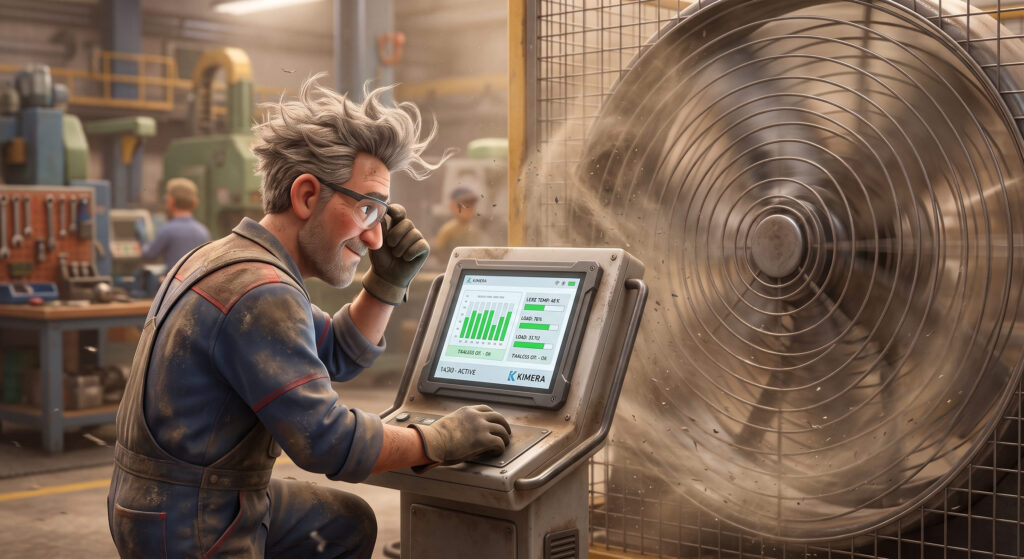
Discover why fans are the primary weak link in industrial PCs. Compare passive vs. active cooling, MTBF, and the core benefits of going fanless.
Did you know that if you want to sell a car, you can hire a broker to do it for you?
I found out completely by accident. A classmate’s dad asked me for a quick favor: to pick up his son from school because he had to rush off to meet a broker to appraise his car, which he had bought just eighteen months earlier. Naturally, I was surprised and asked him: first, why was he selling it so quickly, and second, wouldn’t it be easier to trade it in or list it on an online portal?
He explained that a specific generation of engines from that manufacturer had severe reliability issues. Dealerships were offering next to nothing, and he didn’t want the headache of private buyer complaints down the line. Here is what a quick Google search reveals about why Carlo wanted to get rid of his car so fast—or as they say in Monopoly, “Go straight to jail, do not pass Go!”

From Google: “The issue with oil-bathed timing belts affects 1.0 and 1.2 3-cylinder engines. In units produced roughly between 2014 and 2023, continuous contact between the rubber belt and engine oil (especially with city driving and frequent cold starts) caused the belt to degrade and flake off. Rubber debris collected in the sump and clogged the oil pump strainer, dropping oil pressure and risking engine seizure or turbocharger failure.”
Anyone who designs or specifies embedded systems for industrial environments knows this story all too well: a PC installed inside an electrical cabinet, on a production line, or in a vehicle starts failing after two or three years of 24/7 operation. In most cases, the culprit isn’t the CPU, the RAM, or the storage—it’s a fan. Just like in Carlo’s car, a single, cheap mechanical component puts an entire production infrastructure at risk.
In this article, we’ll examine why active cooling, despite working well on paper, is often the structural weak link in an industrial system—and why passive cooling is becoming the de facto standard for long-term reliability. At Kimera Computers, we are 100% aligned with this shift. Backed by years of experience, top-tier component suppliers, and a sole focus on industrial clients, we build highly customized solutions tailored to your exact operational requirements.
Back to Basics: Why Do PCs Need Heat Dissipation?
During operation, processors and electronic components generate heat. If temperatures rise too high, the system automatically throttles performance to protect itself. Under severe thermal stress, it can become unstable or shut down completely. To prevent this, systems rely on one of two cooling methods:
• Active Cooling: Uses a fan to force airflow across a heatsink.
• Passive Cooling (Fanless): Transfers heat directly to a metallic chassis, dissipating it into the surrounding air through external cooling fins.
Because of this, the rugged enclosure of a Fanless Industrial PC isn’t a cosmetic choice—the chassis itself is an active part of the cooling architecture.
The Problem: Mechanical Failure Is the Highest Statistical Risk
In a well-designed industrial PC, almost every component is solid-state: CPU, memory, SSD storage, and solid capacitors. There are zero moving parts—except for the fan.
From a reliability standpoint, this makes the fan the single weakest link in the chain. No matter how robust the rest of the system is, if its only mechanical part fails, the entire machine is compromised.
By the Numbers: Comparing MTBF
Mean Time Between Failures (MTBF) is the core metric for evaluating component reliability. Here is how different technologies compare:
Component
Industrial CPU (Solid State)
Industrial SSD
Sleeve Bearing Fan
Ball Bearing Fan
Fanless System (No Moving Parts)
Typical MTBF
300.000 – 500.000+ hours
1.000.000+ hours
30.000 – 50.000 hours
50.000 – 70.000 hours
Limited Only by electronic components
(Note: These figures are indicative datasheets values from typical fan and SBC manufacturers.)
A fan with an MTBF of 50,000 hours running 24/7 has an expected lifespan of roughly 5 to 6 years before failure—well below the 8-to-10-year (or longer) lifespan typically required for industrial installations.
How Active Cooling Fails (and Why It’s Dangerous)
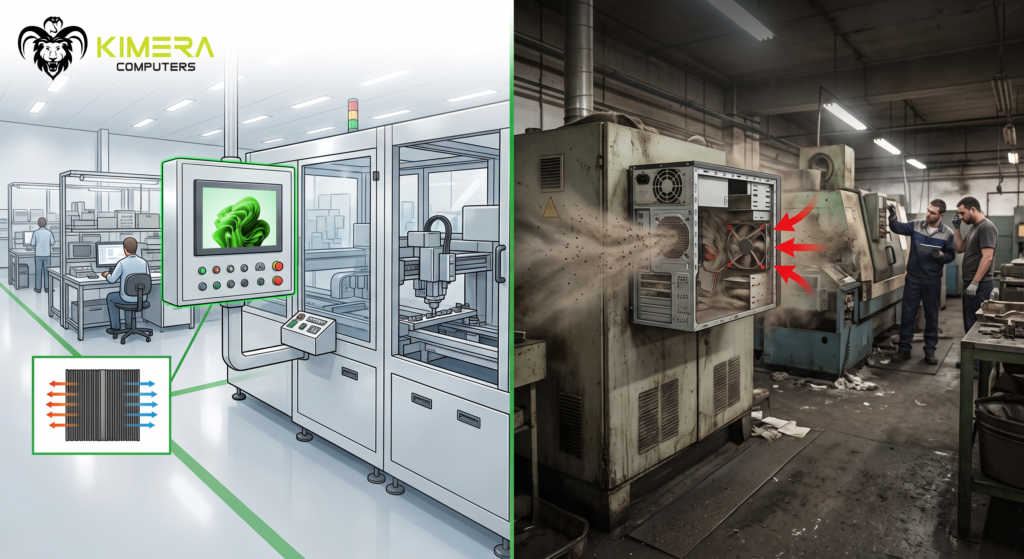
In a climate-controlled office, a fanned PC can run for years without an issue. In an industrial environment, however, fans draw in more than just air—they suck in dust, fibers, airborne particles, and moisture that drastically shorten the system’s life. Over time, contaminants clog heatsinks, choke airflow, increase thermal stress, and drive up maintenance needs.
The real danger isn’t just that fans break; it’s how they fail:
1. Silent Degradation (Thermal Throttling): A slowing fan doesn’t crash the system immediately. Instead, it triggers thermal throttling, causing performance drops and intermittent instability—the hardest type of fault to diagnose remotely.
2. Vibration and Mechanical Shock: Bearings and fan blades are extremely sensitive to constant vibrations from industrial motors, presses, and vehicles, reducing real-world lifespan well below lab-tested MTBF figures.
3. Hidden Maintenance Costs: Every fan requires routine inspection and scheduled replacement. At remote locations—such as telecom towers or wind turbines—a single service call can cost far more than the fan itself.
This highlights the true engineering advantage of a Fanless PC: when you don’t need to draw in outside air for cooling, you can build a completely sealed unit protected against harsh environments. (We have even deployed fanless systems that operate reliably under direct, continuous water spray!)
How Passive Heat Dissipation Works
A true fanless PC is not an ordinary computer from which someone has simply removed the fan.
The entire system is designed around passive cooling: the heat generated by the processor is transferred through highly thermally conductive materials to the chassis. From there, it moves to the chassis’s large finned surfaces and is ultimately released into the surrounding environment.
The heat path is essentially:
Processor → thermal conduction system → chassis → fins → environment.
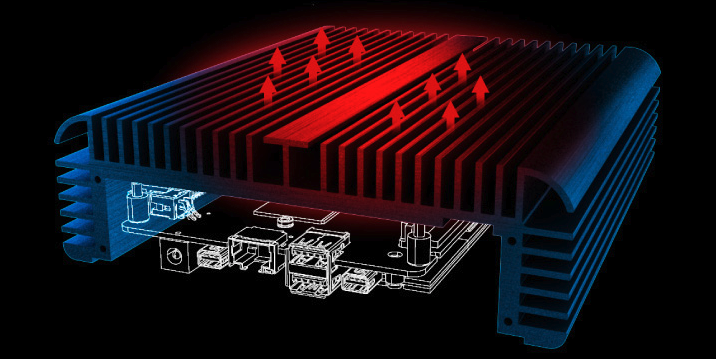
This is why, when you look at an industrial fanless PC, its enclosure is often completely different from that of a standard office or commercial computer.
The chassis is not merely there to contain the electronics: it works together with the electronics.
Naturally, this requires careful thermal engineering. Every component used to design and build a Kimera is industrial-grade. This ensures there are no “Achilles’ heels” that could jeopardise the operational continuity of a Kimera system.
After briefing the customer, we assess the processor’s power consumption, ambient temperature, installation position, available space around the cooling surfaces and actual operating conditions. This allows us to identify the most suitable solution from the outset.
The main direct advantages of an industrial fanless PC include:
• Zero moving parts → no critical MTBF associated with bearings.
• Completely silent operation → especially valuable in control rooms, retail environments and healthcare facilities.
• Extended temperature range → many industrial fanless systems operate reliably from -20°C to +60/+70°C without forced ventilation.
• Minimal maintenance → no fan to inspect or replace.
Fanless also means less maintenance
Eliminating the fan reduces inspection and replacement activities and limits the amount of dust entering the PC.
If the fanless system also uses SSDs instead of traditional mechanical hard drives, it is possible to build a PC with no rotating parts at all. These systems are particularly well suited to machinery, production lines, vehicles, dusty environments and areas subject to vibration.
The most important advantage? Less maintenance means fewer occasions when someone has to intervene on the computer.
When passive cooling is not enough
To be clear, we do not want to be fanless extremists. We know it is not always the best choice.
With very powerful processors or dedicated GPUs, which generate a significant amount of heat in a compact space, a fan often remains the most effective solution because it can remove large amounts of heat quickly simply by moving air.
Fanless cooling works well when the system can remain within safe operating temperatures without forced ventilation. That is the key point: a fanless PC is not better simply because it has no fan; it is better because it has been designed not to need one.
It is also important to remember that, without a fan, the chassis itself becomes warm as it dissipates heat. This should be taken into account if the system will be in direct contact with operators.
The real selection criterion: TCO, not purchase price
A fanless PC often has a higher purchase price than an equivalent fan-cooled PC. However, the correct comparison is not based on the initial price, but on the Total Cost of Ownership:
• Fewer scheduled maintenance interventions.
• Less unplanned downtime, often the highest real cost in an industrial environment.
• A system service life aligned with the service life of the equipment in which it is installed.
• Lower risk of “invisible” failures that degrade performance before becoming apparent.
For a facility that must remain operational 24/7 for 8–10 years in an environment exposed to dust, vibration or temperature fluctuations, eliminating the fan is not a minor technical detail — it is a strategic reliability decision.
Need a Fanless Solution for Your Next Project?
Every industrial environment presents unique challenges. Temperature ranges, dust exposure, structural vibration, and spatial constraints dictate the ideal hardware configuration.
Kimera Computers builds industrial Fanless PCs engineered directly around your real-world application. Tell us about your operational environment, performance requirements, and site conditions, and we’ll design a custom system built to perform today—and for years to come.
Together, we will build the tailor-made solution for your application. Take the first step towards greater production efficiency! Contact us on 0429 653281 or email us at info@kimera-computers.com.
